Operations automation

Operations Automation for the Work Your Team Repeats Every Day

From accounts payable automation to client onboarding, we build systems that handle the repetitive parts of running your business — so your team stops doing the same task by hand every single day.

The real cost

What "Just Do It Manually" Actually Costs You

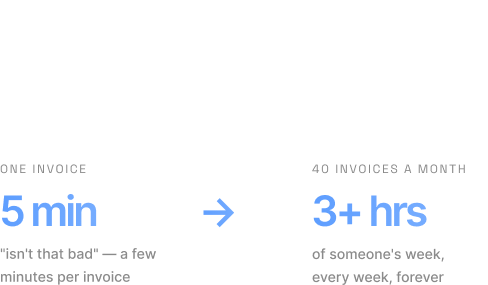
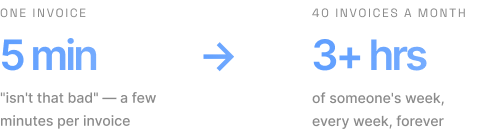
Most businesses don’t automate operations because the work “isn’t that bad” — a few minutes per invoice, a few minutes per new client, a few minutes updating a spreadsheet. The problem is volume, not difficulty. A five-minute invoice processing task done 40 times a month is over three hours of someone’s week, every week, forever — and that’s before counting the errors that come from manual data entry, the invoices that get missed, or the onboarding steps someone forgets when they’re busy. Operations automation isn’t about replacing your team. It’s about removing the parts of their job that were never a good use of their time in the first place

WHAT WE AUTOMATE

Six Areas We Focus On

01

Accounts Payable Automation

Invoices arrive by email, get manually entered into your accounting system, then routed for approval by whoever remembers to check. Accounts payable automation captures the invoice, extracts the data, matches it against POs where relevant, and routes it for approval automatically — so nothing sits in an inbox waiting for someone to notice it.

02

Invoice & Invoice Processing Automation

Beyond payables, invoice processing automation covers the outgoing side too — invoices generated from your CRM or project data, sent automatically, and tracked until paid, without someone manually re-keying numbers between systems.

03

Client Onboarding Automation

The moment a deal closes, client onboarding automation triggers document collection, account setup, and a welcome sequence — instead of a new client waiting while someone works through a manual checklist.

04

Document Automation

Contracts, proposals, and recurring paperwork generated automatically from the data you already have — not built from scratch every time, and not copy-pasted from last month's version.

05

Reporting Automation

Recurring reports assembled and delivered on schedule, pulling from the systems that already have the data — instead of someone spending half a day each month manually compiling numbers.

06

Back Office Automation

The everyday admin behind the scenes — approvals, reminders, status updates — running on its own instead of depending on someone checking in constantly.

Fit check

Built for Teams Drowning in Admin, Not Enterprise IT

We built this specifically for small businesses and growing teams, not as software you configure yourself, and not as an enterprise RPA platform meant for a dedicated automation department.


If your business already has a dedicated automation or IT function, this is probably more capability than you need. But if your office manager, your ops lead, or you as the founder are still processing invoices by hand because there’s no one else to do it, this is exactly who we built it for.

Sound like your team?

A no-pressure call to understand what's slowing you down — and whether automation is a good fit.

STACK

Fits Into the Tools You Already Use

We build on top of your existing stack — not a replacement for it.

Accounting & Invoicing
Xero QuickBooks Stripe Zoho Books FreshBooks
CRM & Client Management
GoHighLevel HubSpot Pipedrive Salesforce Airtable
Automation Platforms
n8n Zapier Make Power Automate
Document & E-Signature
Google Workspace Microsoft 365 Google Drive Notion DocuSign PandaDoc
Communication
Slack Microsoft Teams Gmail WhatsApp

Proof

What Clients Say

GUARANTEE

Our Guarantee

Automation, without handing over control

The whole point of a content workflow is that it runs without you chasing it. That shouldn't mean giving up your say over what goes out, who owns it, or what happens when something breaks.

01

A person always approves

Human approval stays a required step in every workflow we build. Nothing gets paid, sent, or filed without someone on your team signing it off. That step can't be switched off by accident.

02

You own what we build

The workflows, the connections and the accounts are yours. Nothing is locked to a ZeltaCode platform, and if you decide to work with someone else later, the whole system goes with you.

03

If it breaks, we fix it

Accounting software and CRM tools change without warning. Under Ongoing Support we monitor what we've built and repair it. You shouldn't be the one who finds out three weeks later that an invoice never got processed.

Covered from launch and for as long as Ongoing Support is in place

FAQ

Common Questions

Straight answers about how we work, what things cost, and what happens after launch.

Still have a question?

Ask it in a free consultation — no pitch, just answers.

Book a Free Consultation

You can absolutely build automations yourself. Where we help is designing workflows that don't break when something changes, connecting systems that don't have simple no-code integrations, and taking the ongoing maintenance off your plate.

No. It's a conversation about what's currently manual in your business and whether automation is a good fit. If it's not, we'll tell you.

A full review of your workflows, with the highest-value automations mapped out, costed and prioritised — delivered as a written report you keep whether or not you build with us.

No. Accounting and bookkeeping firms are a big part of our work, but anything with repeatable admin qualifies — agencies, clinics and professional services generally.

We monitor what we build and fix breakages as part of ongoing support. When a tool changes its API, patching it is on us, not on you.

Ready to Stop Doing This Manually?

Book a free consultation and find out what’s worth automating first.

From the blog

Automation Guides to Get You Going

Practical, no-fluff guides on what to automate, which tools to use, and how to start.